Workspace
Graph, form, and code — synchronized
Navigate models visually in the graph, edit structured fields in the form panel, and refine the source directly — all three views stay in sync.
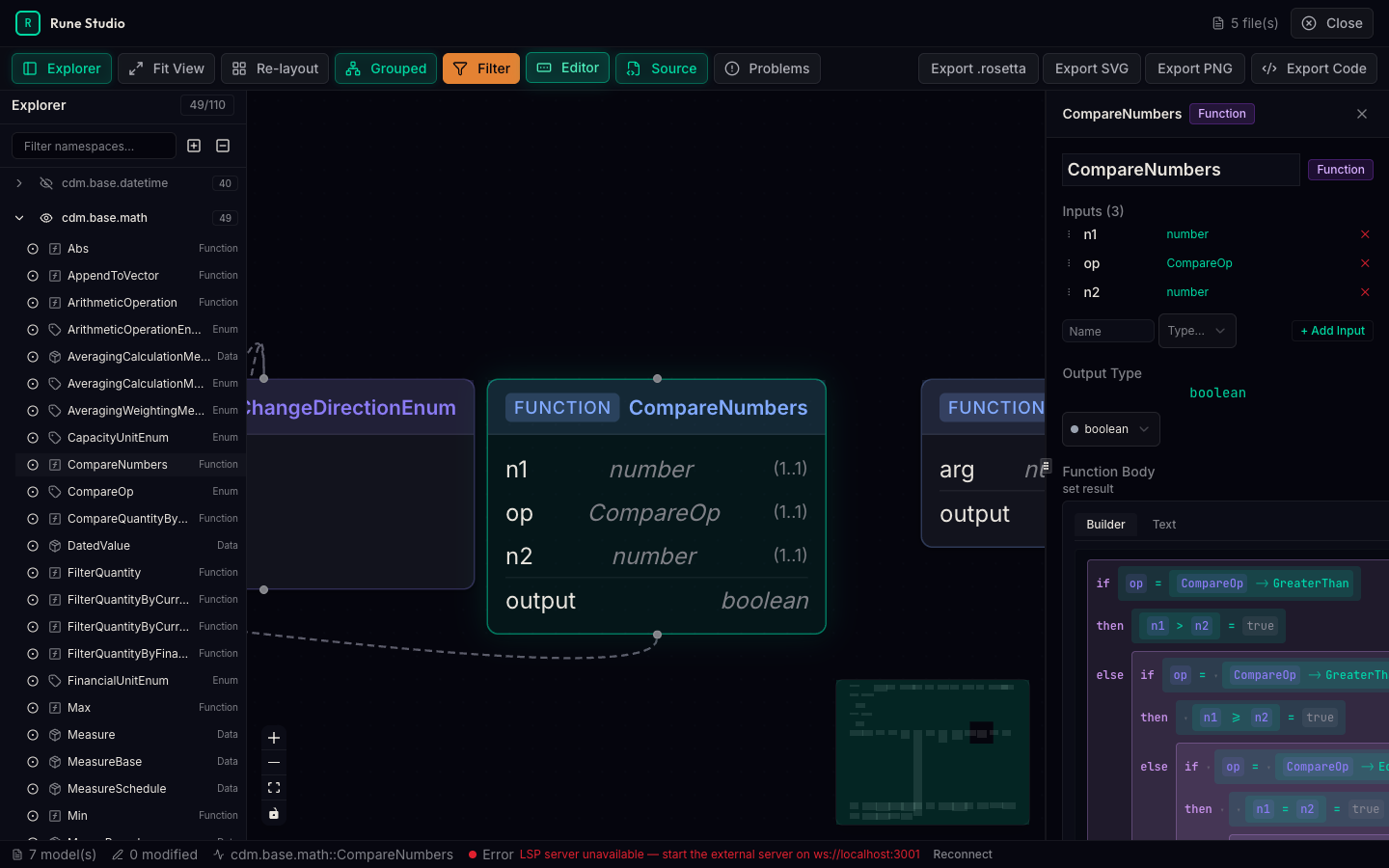
Open a CDM or DRR model in your browser and start working in seconds. Navigate types visually, edit with full autocomplete, and catch validation errors before they reach production.
Everything you need to work with Rune DSL models — from quick exploration to deep editing — in one integrated workspace.
Open a model in your browser and begin exploring. Load the full CDM with thousands of types, or start with a focused subset. No local setup required.
Real-time validation highlights issues the moment they appear. Autocomplete suggests valid types, attributes, and cardinalities. Go-to-definition jumps across files instantly.
An interactive graph view shows type relationships, inheritance hierarchies, and cross-references visually. Click any node to navigate to its definition and form view.
The editor and language server run as lightweight web components. Drop Rune DSL editing into your platform, portal, or internal tooling with a single integration.
Navigate models visually in the graph, edit structured fields in the form panel, and refine the source directly — all three views stay in sync.
Whether you're building reporting logic, reviewing a model, or integrating CDM into your platform.
Embed a full-featured Rune DSL editor inside your own web application. Your users get autocomplete, validation, and diagnostics — branded as part of your platform.
Browse CDM types, trace DRR reporting flows, and search across the entire model. See how types relate to each other before writing a single line of integration code.
Explore data types and reporting rules through a visual interface. Understand what's being reported, how fields connect, and where validation rules apply — without reading code.
The editor understands the Rune DSL grammar. It knows your types, validates your cardinalities, and guides you with context-aware suggestions.
Rune Studio works with the models and standards the industry already uses.
Try the studio locally in minutes, or reach out to discuss embedding it in your platform.